MAKE YOUR OWN BUNDLE - BUY ANY 3 SVGS - GET 30% OFF

Laura Shirley | May 19

Paper Crafting Resources

Hi There!

I LOVE paper crafting! Over the years I've found a few tips and tricks to enjoy it even more. 

Below are Tutorials, FAQs, Blog articles and other resources that I hope will help you get the most out of paper crafting, whether you are a newbie or an "old hand" at working with paper.

Laura

Let’s create what matters — together.

Laura Shirley

More Posts

The Ultimate 3D Paper Crafting Glossary: Your Friendly Guide to Cricut  Silhouette TermsThe Ultimate 3D Paper Crafting Glossary: Your Friendly Guide to Cricut  Silhouette Terms
The Ultimate 3D Paper Crafting Glossary: Your Friendly Guide to Cricut Silhouette Terms

Hello there, creative friend! 💖

If you’ve ever looked at a gorgeous, intricate 3D paper project and thought, "That looks absolutely magical, but what on earth do all these terms mean?"—please know you are not alone! When I first bought my electronic cutting machine, I felt completely overwhelmed by letters like "SVG," words like "basis weight," and software buttons I didn't understand. I made every "rookie" mistake in the book so you don’t have to!

My mission at Bella Carta Design is to make 3D paper crafting joyful, accessible, and completely frustration-free. Think of this glossary as your cozy, trusted crafting companion. Grab a warm cup of tea, and let's demystify these terms together so you can start creating cute crafts with paper and heartfelt hand craft gifts today!
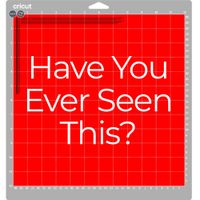
<p>How To Avoid the RED MAT in Cricut</p><p>How To Avoid the RED MAT in Cricut</p>

How To Avoid the RED MAT in Cricut

Step by step instructions on setting score lines


If you’ve ever uploaded an SVG file and hit "Make It" in Cricut Design Space only to see that dreaded red mat with all the scattered lines, you aren’t alone! It’s one of the most common hiccups when working with SVG files in Cricut Design Space.

Usually, this happens because the software thinks your score lines are meant to be cut lines, or it doesn't realize those lines are supposed to stay stuck to your project. Don't sweat it—here is a quick, friendly guide to getting those files fixed and your project back on track.


Step-by-Step Projects & Inspiration:  StartedStep-by-Step Projects & Inspiration:  Started
Step-by-Step Projects & Inspiration: Started

Project Instructions

<p>FAQs:</p><p>FAQs:</p>

FAQs:

Find solutions for paper craf cutting and software issues with Silhouette, Cricut, Brother ScanNCut and others. Find craft ideas for hand craft gifts, cricut projects, 3d svg files, and pop up card svg setups.

Heading Text